
How Do You Choose Virtual Events for Companies?
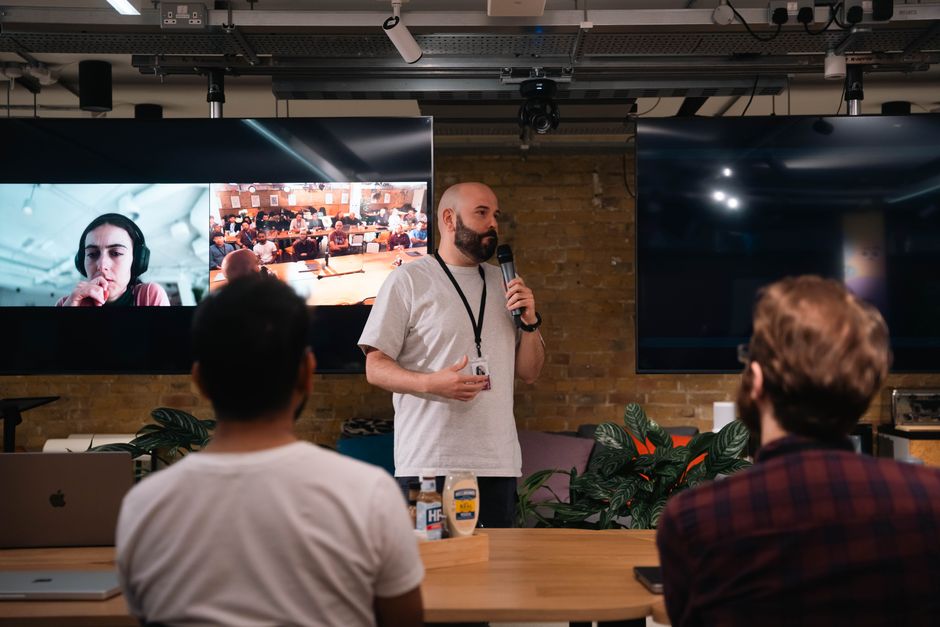
Virtual events for companies work best when the format follows the outcome: use team-building activities for connection, conferences for broad learning, celebrations for recognition, workshops for skill transfer, webinars for customer education, product launches for coordinated announcements, and networking events for relationship building. Match each format to audience size, time zones, accessibility, security, budget, and a metric defined before registration opens.
What are some fun virtual events for employees?
Fun virtual events for employees are structured social formats that give people a reason to participate, rather than another passive call. Team-building activities, trivia, employee celebrations, and networking events are the strongest choices when the desired result is connection rather than instruction.
The practical decision is to match format, audience, duration, and complexity before choosing software. The following seven-format guide uses qualitative complexity estimates because the real workload depends on hosts, content, accessibility support, and production requirements.
| Format | Best use case | Typical audience fit | Live shape | Estimated complexity |
|---|---|---|---|---|
| Team-building activities | Connection and informal collaboration | Small to medium groups | Short, participatory session | Low to medium |
| Virtual conferences | Broad learning and thought leadership | Medium to very large groups | Multi-session program | High |
| Employee celebrations | Recognition and community | Small to large groups | Single live gathering | Medium |
| Training workshops | Skill transfer and practice | Small to medium groups | Interactive learning block | Medium to high |
| Customer webinars | Education and qualified interest | Medium to large groups | Presentation plus moderated questions | Medium |
| Product launches | Coordinated announcement and demonstration | Medium to large groups | Produced presentation and Q&A | High |
| Networking events | Relationship building and introductions | Small to large groups | Rotating or self-selected conversations | Medium to high |
Use a team-building activity when the value comes from shared action: a facilitated challenge, trivia round, or collaborative exercise. Use a workshop when participants must leave with a skill, because breakout roles, practice tasks, and follow-up materials matter more than visual polish. A celebration needs a different design again: recognition should be easy to hear, see, and revisit without forcing every attendee into continuous camera time.
What are some examples of virtual events for companies?
Examples of virtual events for companies include team-building activities, virtual conferences, employee celebrations, training workshops, customer webinars, product launches, and networking events. These formats are not interchangeable: each creates a different evidence trail for whether the event worked.
A conference can be judged by session attendance, questions, and material downloads, while a workshop should be judged by participation and demonstrated learning. A customer webinar may prioritize qualified follow-up, whereas an employee celebration may prioritize attendance and satisfaction. The same platform report can therefore support different conclusions depending on the outcome established in advance.
Plan the event in sequence: define the audience, state the desired behavior or result, select the format, design the participation mechanics, and only then compare platforms. This prevents the common error of buying a feature-rich event system for a small internal gathering or trying to run a complex launch with a tool designed mainly for meetings.
Budget decisions deserve the same discipline. A useful comparison is available in How Do I Budget for a Master's Degree and Student Visa in Europe?: separate the visible headline cost from the surrounding costs that determine the real total. For virtual events, those surrounding costs can include registration, moderation, captioning, recording storage, speaker preparation, technical support, and post-event analysis.
What are the best virtual event platforms for a company?
The best virtual event platform for a company is the one whose registration, interaction, analytics, integration, capacity, accessibility, and security features fit the event's actual outcome. There is no universal winner because a team meeting, customer webinar, and multi-session conference impose different operating constraints.
| Platform category | Registration | Breakouts and networking | Analytics | Integrations and cost logic |
|---|---|---|---|---|
| Zoom meeting | Basic to moderate | Strong breakout support | Depends on plan | Efficient for familiar internal meetings |
| Microsoft Teams | Useful where the organization already works in the Microsoft environment | Good for collaboration-centered sessions | Check event-specific reporting | Evaluate existing licenses and administration |
| Webinar tools | Designed for registration and controlled attendance | Moderated interaction; breakout capability varies | Often focused on attendance, questions, polls, and surveys | Suitable when presentation and lead follow-up dominate |
| All-in-one event platforms | Usually strongest for branded registration and schedules | Best fit for networking and multi-session programs | Typically broader event reporting | Higher total complexity and cost may be justified for conferences |
Zoom's published event analytics illustrate the difference between attendance and engagement. Reports can include unique attendees, livestream and recording views, Q&A submissions, chat messages, reactions, poll response rates, survey responses, bookmarks, and material downloads. The feature requires specified paid account and event licenses, so analytics should be included in total-cost comparisons rather than assumed to be free.
For large interactive webinars, Zoom documents breakout support for up to 5,000 attendees in as many as 200 rooms, with up to 500 attendees per breakout room. That is a capability boundary, not a recommendation to fill every room. Staffing, moderation, accessibility, and the quality of the participant experience remain the limiting factors.
How do I choose a virtual event platform for 50, 500, or 5,000 attendees?
Choose a platform for 50, 500, or 5,000 attendees by increasing operational control as attendance grows: simple interaction for 50, registration and moderation for 500, and production, support, analytics, and contingency planning for 5,000.
| Audience size | Priorities | Questions to resolve |
|---|---|---|
| 50 attendees | Ease of joining, breakouts, participation, and low administration | Can the host assign roles, manage discussion, and share accessible materials without adding unnecessary software? |
| 500 attendees | Registration, moderated Q&A, polls, captions, support, and reporting | Can the team distinguish registrants, attendees, participation, and follow-up actions? |
| 5,000 attendees | Capacity, multiple rooms, authentication, production staffing, incident response, and analytics | Can the platform control access, support parallel sessions, provide alternatives for access problems, and export useful reports? |
At every size, test the join path on a low-bandwidth connection and provide materials that do not depend on video alone. For distributed teams, map time zones before selecting the live window; then offer a recording, transcript, or repeated session when one schedule would exclude part of the audience. Do not treat recording as an automatic solution: the security and retention decision comes first.
NIST recommends organization-approved meeting services and stronger controls for sensitive meetings, including one-time PINs or meeting identifiers, possible multi-factor authentication, waiting rooms, attendee identification, restricted screen sharing, and locking the meeting after identification. Its advice is unusually direct about recordings: “Don't record the meeting unless it's necessary.” If a sensitive recording is necessary, NIST recommends encryption, a passphrase, and deletion from the provider when it is no longer needed.
How can I make a virtual company event engaging instead of another Zoom meeting?
You make a virtual company event engaging by replacing passive viewing with planned decisions, contributions, and follow-up: use polls, moderated Q&A, breakout roles, trivia, hands-on materials, pre-event prompts, and a post-event community.
Give each interaction a job. A poll can establish a baseline or force a choice; moderated Q&A can surface the questions most relevant to the audience; breakout roles can prevent one person from carrying the discussion; and a hands-on kit can convert a demonstration into practice. Pre-event prompts give attendees a reason to arrive prepared, while a post-event community turns a single session into an exchange that continues after the livestream ends.
Shorter is usually analytically defensible. A 2022 peer-reviewed study of 322 higher-education faculty members reported a mean videoconference-fatigue score of 3.35 on a five-point scale. The study found that videoconference duration and the interval between meetings predicted fatigue, and its model explained 30.7% of the variance. Its authors recommended shorter virtual sessions or dividing learning and meeting content into smaller units.
Accessibility is part of engagement, not a separate decoration. The U.S. Department of Justice explains that captions may be necessary for people with hearing disabilities, while screen-reader users need text alternatives for images, charts, and illustrations. The same guidance points to labels and error indicators in forms, keyboard navigation, sufficient color contrast, and text cues rather than color alone. Send accessible materials before the event, caption the live experience where available, and make the recording and transcript usable afterward.
Frequently Asked Questions
What are budget-friendly virtual event ideas for remote teams?
Team-building activities, trivia, employee celebrations, and informal networking can be run with a standard meeting platform when the agenda is structured and participation is planned. Avoid paying for advanced event software unless you need registration, large-scale production, networking, or detailed analytics.
How long should a virtual corporate event last?
Keep the live session no longer than the content requires, and split dense learning or meeting material into smaller units when possible. A 2022 study in Education and Information Technologies found that videoconference duration predicted fatigue, with respondents reporting a mean fatigue score of 3.35 on a five-point scale.
How do I run a virtual event across multiple time zones?
Choose a primary live window only after mapping attendee locations, then provide a recording, transcript, or repeat session for people who cannot attend. Use asynchronous prompts and a discussion space so participation does not depend entirely on one clock time.
How can I make a virtual company event accessible and secure?
Provide accurate captions, screen-reader-friendly materials, keyboard navigation, clear form labels, text alternatives, and sufficient color contrast. For security, use unique meeting identifiers or one-time PINs for sensitive sessions, waiting rooms, attendee identification, restricted screen sharing, and a recording policy based on necessity.
How do I measure whether a virtual company event was successful?
Define the intended outcome before the event and connect it to a small set of measures, such as attendance, participation, satisfaction, leads, learning, or professional connections. Afterward, compare registration with attendance and review polls, Q&A, chat, surveys, downloads, and follow-up actions where the platform supports those reports.
Sources
Keep reading

Choose the Right Zero-Turn Mower for Your Yard Size
Match zero-turn mower deck size, engine power, features, and safety limits to your residential lawn, terrain, and access points.

How Do I Choose and Order Confidently at a Nearby Asian Restaurant?
Use menus, reviews, and direct questions to choose an Asian restaurant and order confidently for your tastes and dietary needs.

How Should You Compare Industrial Refrigeration Proposals Beyond Price?
A practical framework for comparing industrial refrigeration bids by installed cost, energy, service, downtime exposure, and verified performance.

How Do I Find Funded European PhD Vacancies and Apply?
Find funded European PhD jobs, verify employment terms, and contact supervisors without bypassing formal applications.